
An 8K IPTV subscription is a way of accessing television and video content through an internet connection rather than relying on traditional cable, terrestrial broadcasting, or satellite delivery. IPTV stands for Internet Protocol Television, meaning video is transmitted as data through an IP network. 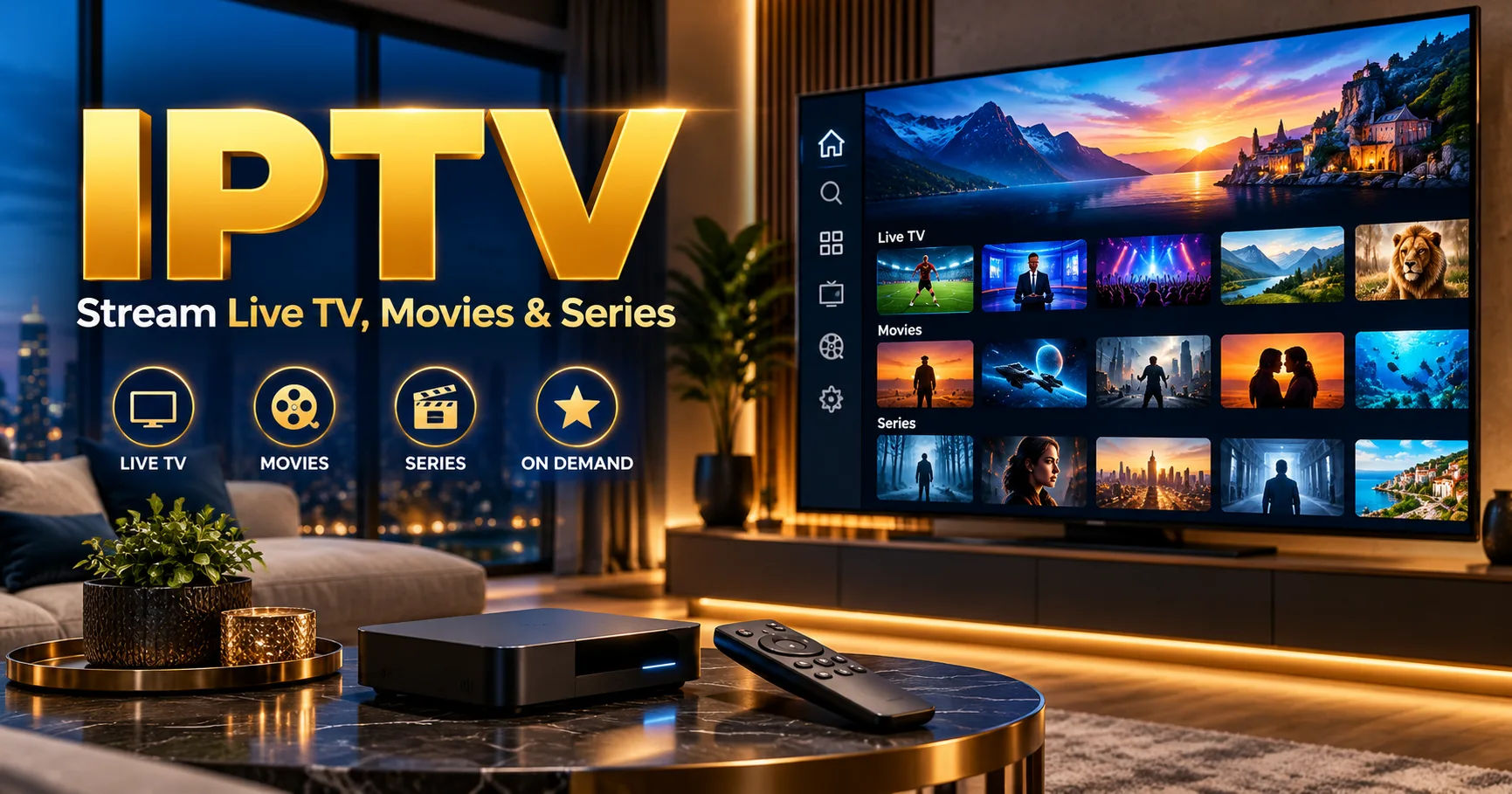 In simple terms, the television content travels through the internet and is displayed on a compatible television, streaming device, computer, or other supported screen.
The basic idea sounds similar to familiar streaming services, but IPTV can include live television channels, electronic programme guides, catch-up programming, and video-on-demand libraries. The exact features depend on the service and the software used to access it.
For someone considering an 8K IPTV subscription, the most important thing to understand is that the word "8K" does not automatically mean every channel is delivered in native 8K resolution. Current IPTV offerings can contain a mixture of HD, Full HD, 4K, and, where genuinely available, 8K sources. Some services also use upscaling, which means lower-resolution video is processed by a television or playback device to fit an 8K display. Native 8K content remains relatively limited across the broader streaming industry.
What Is IPTV?
IPTV is television delivered using Internet Protocol technology. Instead of receiving television programming through a traditional broadcast signal, the content is converted into digital data and transmitted across an IP network.
This does not necessarily mean every IPTV service works exactly like Netflix or YouTube. Traditional managed IPTV can operate through a provider's controlled network, while other internet-based television services may use the public internet. Pakistan's media regulator, PEMRA, describes IPTV as television programming delivered using internet protocol technology over broadband networks.
The distinction matters because IPTV is a delivery method rather than a guarantee about the content itself. A legitimate IPTV service can distribute authorized television programming, while an unauthorized service can use exactly the same underlying technology to distribute content without the necessary rights.
Therefore, the technology itself does not determine whether a particular service is authorized. The provider's content rights and applicable local laws matter.
What Does 8K Mean?
8K refers to an image resolution of approximately 7,680 by 4,320 pixels. That is around 33 million pixels in a single frame.
For comparison, 4K UHD contains roughly 8.3 million pixels, while Full HD contains about 2.1 million. As a result, 8K contains four times as many pixels as 4K and sixteen times as many as 1080p.
More pixels can provide additional detail, particularly on very large displays and at suitable viewing distances. However, resolution is only one part of image quality.
Bitrate, compression, source quality, codec, television processing, and the original production quality all affect what you actually see.
That is why an excellent 4K source can sometimes look better than a heavily compressed video advertised as 8K.
How Does an 8K IPTV Subscription Work?
The process is fairly straightforward once the different components are understood.
First, you purchase access from an IPTV provider that offers a subscription plan. Depending on the service, the provider may send account credentials, a playlist address, an application login, or another method for authenticating your device.
You then install a compatible IPTV application or player on your television or streaming device.
After entering the supplied information, the application communicates with the provider's server. The server verifies the account and supplies the available channel list, programme information, and video streams associated with that account.
When you select a channel, the player requests the corresponding stream. The video data travels through your internet connection to the playback device, where it is decoded and displayed on your screen.
This process happens continuously while you watch.
Unlike downloading an entire movie before viewing it, streaming generally delivers the required video data progressively. A small amount of content may be temporarily stored in a buffer so that short variations in network speed do not immediately interrupt playback.
What You Need to Use the Service
An 8K IPTV subscription does not normally require a satellite dish or traditional cable installation. What you actually need depends on the particular provider, but several components are generally important.
A Reliable Internet Connection
Your internet connection is one of the most important parts of the setup.
Higher-resolution video requires more data to be transferred every second. A 4K HEVC stream may commonly require around 15 to 25 Mbps, while published technical guidance for 8K can put typical requirements considerably higher, depending on compression and source quality. Some estimates place HEVC 8K around 50 to 100 Mbps, while other guides recommend substantial additional headroom.
The important point is that maximum advertised internet speed is not the same as sustained performance.
For example, a connection advertised at 100 Mbps may perform differently depending on Wi-Fi conditions, network congestion, router performance, and other devices using the connection.
A Compatible Playback Device
You also need hardware capable of handling the video format.
An 8K television is the obvious choice if you want to display genuine 8K video at its native resolution. However, simply owning an 8K television does not create 8K content.
The source must actually contain the necessary resolution and bitrate.
Your streaming box, smart television, computer, or other playback device must also support the codecs and formats used by the stream.
A Compatible IPTV Player
The provider may specify which application or player should be used.
Some services provide their own application. Others provide credentials or playlist information that can be entered into a compatible third-party player.
The player is responsible for communicating with the service, organizing available channels, handling playback, and decoding the incoming video.
Why Internet Speed Matters So Much
The biggest difference between ordinary television and high-resolution IPTV is the role of the internet connection.
Traditional television delivery methods can use dedicated broadcast infrastructure. With internet streaming, the video has to travel across a network before reaching your device.
If the available bandwidth falls below what the stream needs, the player may not receive enough data quickly enough.
That can lead to buffering, reduced picture quality, freezing, or dropped playback.
For an 8K IPTV subscription, this becomes even more important because 8K contains a very large amount of visual information.
A household may also have several devices competing for bandwidth. Someone could be watching IPTV while another person is playing an online game, attending a video conference, uploading files, or streaming another video.
In that situation, the connection may be fast enough in a simple speed test but less comfortable under real household usage.
How Compression Makes 8K Streaming Possible
Sending completely uncompressed 8K video over an ordinary internet connection would require an enormous amount of data.
This is where video compression comes into play.
Modern codecs such as HEVC, also known as H.265, compress video so that it can be delivered using substantially less bandwidth than an equivalent uncompressed signal. HEVC is widely associated with high-resolution video because it can maintain good visual quality while reducing the amount of data required.
The process removes or reduces information that can be represented more efficiently.
For example, if a large portion of a scene remains unchanged between frames, the codec does not necessarily need to transmit every pixel independently for every frame.
Instead, it can describe changes and use other compression techniques to reduce the amount of information being transmitted.
The playback device reverses this process through decoding and reconstructs the picture for display.
Does Every 8K IPTV Channel Actually Run in 8K?
No.
This is one of the most important points to understand before paying for an 8K IPTV subscription.
A service may advertise itself using the term "8K" while providing a catalogue containing multiple resolutions.
Some channels may be available in standard HD. Others may be Full HD or 4K. Genuine native 8K sources can be much less common.
Current industry discussions also point out that native 8K streaming content remains limited compared with lower-resolution material. Many displays therefore rely on sophisticated upscaling to make lower-resolution content appear sharper on an 8K panel.
Upscaling is not the same thing as receiving a native 8K source.
If a 4K image is enlarged to fit an 8K screen, the television is generating additional pixels based on the available information. It can improve the appearance of the picture, but it cannot recreate all the original detail that would have been captured in a genuine native 8K recording.
Native 8K vs Upscaled Content
Understanding this distinction can prevent unrealistic expectations.
Native 8K content starts with a source produced at 8K resolution. The video is then encoded, transmitted, decoded, and displayed.
Upscaled content starts at a lower resolution.
A television or playback system then analyzes the lower-resolution image and generates additional pixels to fill the 8K display.
Modern processors can perform sophisticated upscaling, and the result may look impressive. However, it remains different from receiving a native 8K source.
Therefore, when evaluating an 8K IPTV subscription, ask what resolution the original streams actually use.
A provider claiming "8K quality" without identifying which channels are native 8K deserves closer examination.
What Happens When You Select a Channel?
Suppose you open your IPTV player and select a live channel.
The application first identifies the stream associated with that channel.
Your device then sends a request to the appropriate server or content delivery system.
The server begins transmitting video data.
That data travels through your internet connection in packets. Your device receives those packets and temporarily stores enough information to maintain smooth playback.
The decoder processes the compressed video.
Finally, the television or monitor displays the reconstructed frames.
The entire process can take place within seconds, which is why internet television can feel almost as immediate as conventional television.
Live TV and Video on Demand
An 8K IPTV subscription may provide more than live channels.
Many IPTV platforms divide their content into live television and video on demand.
Live television follows a scheduled broadcast. If a sports match begins at 8:00 p.m., you generally watch the stream as the event occurs.
Video on demand works differently.
A movie, episode, or other programme is stored on the provider's system and can be requested when the viewer wants to watch it, assuming it is included in the subscription.
Some services may also provide electronic programme guides, catch-up features, recordings, or replay functions.
The exact features vary considerably from one provider to another.
Why Buffering Can Still Happen
A common misconception is that a high-speed connection guarantees perfect IPTV playback.
It does not.
Buffering can have several causes.
Your Wi-Fi signal may be weak. The router may be overloaded. Other household devices may be consuming bandwidth. The provider's server may be experiencing heavy demand. Network routing between your ISP and the streaming server may also affect performance.
The source itself can experience problems.
Even a powerful device cannot compensate for a stream that is being delivered inconsistently.
For this reason, troubleshooting should not automatically begin by blaming the television.
Check the network connection, test another device, compare wired and wireless connections, and determine whether the problem affects one channel or the entire service.
Is Wi-Fi Good Enough for 8K IPTV?
It can be, but a wired connection is often easier to manage for high-bitrate streaming.
Wi-Fi performance changes based on distance from the router, walls, interference, router capability, network congestion, and the wireless standard being used.
A television located far away from the router may receive substantially less consistent performance than a device sitting beside it.
If your television and router are close enough, an Ethernet connection can provide a more predictable connection.
This is especially useful when several people are using the network simultaneously.
What Does an 8K IPTV Subscription Cost?
There is no universal price for an 8K IPTV subscription.
Pricing varies according to the provider, subscription period, available content, number of connections, support, features, and geographic market.
A very low price should not automatically be interpreted as a bargain.
You should first determine what is actually included.
A service advertising thousands of channels may not mean thousands of native 8K channels. Channel quantity and video resolution are separate issues.
It is more useful to investigate the actual quality of the sources you intend to watch.
How to Check Whether an IPTV Service Is Legitimate
IPTV technology itself is not inherently illegal. The important issue is whether a service has the appropriate rights to distribute the content it offers in the relevant territory.
Before purchasing an 8K IPTV subscription, look for clear information about the provider and its content rights.
Be cautious about services that make extraordinary claims but provide little information about who operates them.
A professional website alone does not establish that every channel is properly licensed.
Similarly, the presence of customer support or secure payment processing does not prove that a provider has distribution rights.
If the service offers premium channels at an implausibly low price while refusing to explain its licensing arrangements, that is a reason to investigate further.
Choosing the Right Device
Your television is only one part of the setup.
The playback device must also be capable of decoding the relevant video formats.
Look for explicit support for the required resolution and codec rather than relying only on vague marketing such as "Ultra HD" or "8K compatible."
Hardware decoding is particularly important with demanding formats.
A device that has to decode complex high-resolution video entirely through software may struggle, producing dropped frames, overheating, or stuttering.
A modern device with appropriate hardware support is generally better suited to high-bitrate video.
How to Get Better Picture Quality
Good picture quality begins with the source.
If the original channel is low quality, an 8K television cannot magically turn it into genuine native 8K.
The next factor is bitrate.
Two streams can have the same nominal resolution but look different because one is compressed more heavily.
Codec efficiency also matters.
Finally, your display and viewing environment influence what you see.
An 8K screen can reveal more detail under appropriate conditions, but the benefit may be less obvious on smaller screens or when viewed from farther away.
Common Misunderstandings About 8K IPTV
One common misunderstanding is that an 8K IPTV subscription means every channel is automatically 8K.
That is not necessarily true.
Another misconception is that buying an 8K television guarantees access to 8K programming.
It does not.
Some people also assume that a faster internet connection automatically creates better picture quality. A faster connection provides more capacity, but the source still determines the quality of the video being delivered.
There is also confusion between IPTV and illegal streaming.
IPTV is simply a method of transmitting television through IP networks. The legality depends on the content, authorization, provider, and applicable law rather than the acronym itself.
Questions to Ask Before Buying
Before purchasing an 8K IPTV subscription, ask which channels are actually available in native 8K.
Ask what codecs the service uses.
Check the recommended internet speed.
Find out whether your television or streaming device is supported.
Ask whether the plan permits multiple simultaneous connections if that feature matters to your household.
You should also check whether the provider clearly identifies its service, support process, subscription terms, and content rights.
A trial can be useful when one is legitimately offered, because it allows you to evaluate playback quality on your own connection and hardware before committing to a longer subscription.
Conclusion
An 8K IPTV subscription works by delivering television and video content through an internet-based IP connection. Your subscription provides access credentials or another authentication method, your IPTV player connects to the provider's system, and the selected video stream is transmitted to your compatible device for decoding and display.
The concept is simple, but getting the expected quality requires several pieces to work together.
Your internet connection needs enough sustained bandwidth. Your router and network need to remain stable. Your playback device must support the required formats and codecs. Your television needs to be capable of displaying the desired resolution. Most importantly, the original content must actually be available at the resolution being advertised.
This last point deserves particular attention. An 8K IPTV subscription does not automatically mean that every channel is native 8K. Current IPTV and streaming markets contain substantial amounts of HD and 4K content, while genuine native 8K programming remains relatively limited. Some systems may upscale lower-resolution material to make it appear sharper on an 8K television.
For that reason, resolution should not be the only factor used to judge a service. Source quality, bitrate, codec efficiency, network stability, device compatibility, and content availability all contribute to the viewing experience.
It is also important to distinguish the IPTV technology from the legality of individual services. IPTV can be used for legitimate television distribution, but a particular provider must have the appropriate rights or authorization for the content it distributes. Local laws and licensing requirements can differ, so viewers should evaluate the service they are considering rather than assuming every IPTV offering has the same legal status.
Ultimately, the best way to understand an 8K IPTV subscription is to think of it as an internet-based television access system rather than simply a promise of higher resolution. The subscription gives you access to a catalogue or collection of streams, while your network, player, device, display, and the original video source determine how that content actually reaches your screen.
Once those pieces are understood, it becomes much easier to separate genuine 8K capability from marketing terminology and to set realistic expectations about picture quality, bandwidth, compatibility, and streaming performance.